
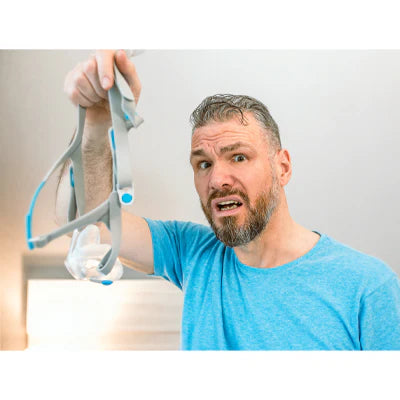
Your CPAP machine delivers life-changing therapy for sleep apnea, but only when properly maintained. A dirty CPAP system becomes a breeding ground for bacteria, mold, and viruses that can cause respiratory infections, skin irritation, and unpleasant odors. Studies show that contaminated CPAP equipment significantly increases the risk of sinus infections, pneumonia, and other respiratory complications.
Yet many CPAP users skip regular cleaning or use improper methods that damage equipment or leave harmful residues. Some turn to expensive automated cleaning devices that the FDA warns may not be safe or effective. The good news? Proper CPAP cleaning requires only a few minutes daily and basic supplies you likely already have at home.
This comprehensive guide provides everything you need to maintain your CPAP equipment safely and effectively. You will learn which components need daily versus weekly cleaning, exactly how to clean each part, which products to avoid, when to replace consumable items, and troubleshooting tips for common problems. Whether you are new to CPAP therapy or looking to improve your cleaning routine, this guide helps you protect your health while extending your equipment's lifespan.
Consistent cleaning habits transform CPAP therapy from a potential health hazard into the safe, effective treatment it should be. With the right knowledge and a simple routine, you can ensure every breath you take during sleep supports your health rather than compromising it.
Why CPAP Cleaning Matters
Understanding why CPAP cleaning is essential motivates consistent maintenance habits. The consequences of neglecting your equipment extend beyond just unpleasant odors or visible grime.
Health Risks of Dirty CPAP Equipment
Every time you use your CPAP, you exhale moisture, oils from your skin, and potentially bacteria or viruses into the mask and tubing. The warm, humid environment inside CPAP equipment creates ideal conditions for microbial growth. Within hours, bacteria begin multiplying. Within days, mold and mildew can establish colonies.
Breathing contaminated air night after night exposes you to respiratory infections including sinusitis, bronchitis, and pneumonia. People with compromised immune systems face even greater risks. Skin oils and dead cells accumulating on mask cushions cause breakouts, rashes, and skin irritation around your nose and mouth.
Additionally, biofilm - a slimy layer of bacteria - can develop inside tubing and humidifier chambers. This biofilm becomes increasingly difficult to remove over time and continuously releases bacteria into your airflow. The longer you delay cleaning, the harder restoring your equipment to a hygienic state becomes.
Equipment Performance and Lifespan
Beyond health concerns, dirty equipment performs poorly. Clogged filters reduce airflow, forcing your machine to work harder and potentially affecting therapy pressure. Oil buildup on mask cushions degrades the seal, causing air leaks that reduce therapy effectiveness and create noise that disturbs sleep.
Mineral deposits from tap water accumulate in humidifier chambers, reducing heating efficiency and potentially damaging the heating element. Neglected equipment fails sooner, requiring costly replacements. Regular cleaning extends the life of expensive CPAP components, saving money over time.
Proper maintenance also preserves your equipment warranty. Most manufacturers require evidence of regular maintenance for warranty claims. Visible neglect may void your warranty, leaving you responsible for full replacement costs if components fail prematurely.
Daily CPAP Cleaning Routine
Establishing a daily cleaning habit takes only five minutes but dramatically improves hygiene and equipment performance. Morning cleaning, immediately after waking, works best since components are already disassembled and moisture has not yet had hours to promote bacterial growth.
Cleaning Your CPAP Mask Daily
Your mask contacts your face for 6-8 hours nightly, accumulating facial oils, dead skin cells, and bacteria. Daily cleaning is non-negotiable for preventing skin problems and maintaining a proper seal.
Disassembly: Remove the mask from the headgear. Separate the cushion from the frame if your mask design allows this. Most masks disassemble into three components: headgear, cushion, and frame.
Cleaning Method: Gently rub the cushion and frame with warm water (approximately 86 degrees F/30 degrees C) and a small amount of mild, unscented dish soap. Baby shampoo also works well. Focus on areas that contact your skin, as these accumulate the most oils and bacteria.
For quick daily cleaning, CPAP mask cleaning wipes provide a convenient alternative. Contour CPAP Mask Cleaning Wipes offer unscented, pre-moistened cleaning specifically formulated for CPAP equipment. These wipes remove oils and residue without leaving harmful chemicals that could irritate your airways.
Rinsing: Thoroughly rinse all soap residue with clean, drinking-quality water. Any remaining soap can irritate your skin and airways.
Drying: Place components on a clean towel in a location with good air circulation, away from direct sunlight. Direct sunlight degrades silicone and other mask materials over time. Allow components to dry completely before reassembling.
Important Note: Never use moisturizing soaps, lotions, or facial creams before bed where the mask contacts your skin. These products accelerate mask deterioration and compromise the seal.
Emptying Your Humidifier Chamber Daily
If your CPAP includes a humidifier (most modern units do), empty any remaining water every morning rather than letting it sit all day. Standing water becomes a breeding ground for bacteria and allows mineral deposits to form.
Simply pour out the water, rinse the chamber with fresh water, and leave it open to air dry during the day. This 30-second task prevents most humidifier-related problems. Refill with fresh distilled water right before bed for that night's therapy.
Wiping Down Your Machine
Unplug your CPAP machine from the power source. Use a slightly damp cloth to wipe the exterior surfaces, removing any dust accumulation. Ensure the cloth is only damp, not wet, as water must never enter the machine's internal components.
Pay particular attention to the air intake area where dust tends to accumulate. A clean intake ensures your machine draws clean air and maintains proper airflow.
Weekly Deep Cleaning Routine
While daily cleaning maintains basic hygiene, weekly deep cleaning thoroughly sanitizes all components and prevents buildup that daily cleaning might miss. Set aside 15-20 minutes once weekly for this deeper maintenance.
Deep Cleaning Your Mask and Headgear
Once weekly, clean your complete mask assembly including the headgear, which daily cleaning often skips.
Prepare Cleaning Solution: Fill a sink or basin with warm water (approximately 86 degrees F/30 degrees C) and add a few drops of mild, unscented dish soap. Alternatively, create a vinegar solution by mixing one part distilled white vinegar with three parts warm water for deeper cleaning and odor control.
Soak Components: Submerge your mask cushion, frame, and headgear in the cleaning solution. Let them soak for 5-10 minutes to loosen accumulated oils and residue. For headgear with fabric components, note that dye may run during the first few washes - this is normal and does not affect function.
Scrub and Rinse: Gently agitate components in the water, rubbing to remove any remaining residue. For vents, swivels, and other small parts with crevices, use a soft-bristled toothbrush dedicated to CPAP cleaning. Rinse all components multiple times with clean water until all soap or vinegar smell disappears.
Inspect While Cleaning: Use this weekly cleaning as an opportunity to inspect components for wear. Look for cracks, tears, stiffness, discoloration, or loss of elasticity. Cushions should remain soft and springy. If components show deterioration, replace them promptly even if they have not reached the standard replacement schedule.
Complete Drying: Allow all components to air dry completely away from direct sunlight before reassembling and storing. Storing damp components promotes mold growth.
Thorough Tubing Cleaning
Your CPAP tubing deserves weekly attention despite being cleaned less frequently than your mask. The interior of tubing can harbor bacteria, and standard tubing (non-heated) may develop visible condensation and moisture that needs removal.
Disassembly: Unplug your CPAP machine. Disconnect the tubing from both the machine and mask.
Cleaning Method: Fill a sink or bathtub with warm, soapy water using mild dish soap. Submerge the tubing completely, ensuring water flows through the interior. Swirl and squeeze the tubing to work soapy water through its entire length.
For thorough interior cleaning, a specialized CPAP Tube Cleaning Brush makes the task significantly easier. This 6-foot brush reaches the entire length of standard tubing, removing biofilm and residue that swirling water alone might miss. Insert the brush and gently scrub the interior, then reverse direction and scrub again.
Vinegar Alternative: For deeper sanitization or if you notice odors, use the vinegar solution (one part vinegar to three parts water) instead of soap. Vinegar naturally kills bacteria and removes mineral deposits without leaving chemical residues.
Rinsing: Thoroughly rinse the tubing interior by running clean water through it until no soap bubbles or vinegar smell remains. Inadequate rinsing leaves residues you will inhale during therapy.
Drying: Hang your tubing over a shower rod, towel bar, or hanger with both ends pointing downward to allow water to drain completely. Ensure the tubing is completely dry inside before reconnecting it to your machine. Trapped moisture promotes mold growth.
Deep Cleaning the Humidifier Chamber
Weekly humidifier chamber cleaning removes mineral deposits and prevents mold growth that daily rinsing alone cannot eliminate.
Remove and Empty: Disconnect the humidifier chamber from your CPAP machine. Pour out any remaining water.
Basic Cleaning: Wash the chamber with warm, soapy water, paying special attention to corners and the heating plate where minerals accumulate. Use a soft cloth or sponge - never abrasive scrubbers that could scratch the chamber.
Vinegar Soak: For mineral deposit removal, fill the chamber with a solution of one part white vinegar to two parts water. Let it soak for 10-15 minutes. The vinegar dissolves mineral buildup that appears as white, crusty deposits. For stubborn deposits, extend soaking time up to 30 minutes.
Rinse Thoroughly: After soaking, rinse the chamber multiple times with distilled water until no vinegar smell remains. Residual vinegar, while not harmful, can create unpleasant odors during therapy.
Dry Completely: Allow the chamber to air dry completely before refilling with fresh distilled water and reinserting into your machine.
Filter Maintenance and Replacement
CPAP machines use filters to remove dust, pollen, and other airborne particles before delivering air to your airways. Proper filter maintenance is essential for air quality and machine performance.
Understanding Filter Types
Most CPAP machines use two types of filters:
Disposable Filters: Made of paper-like material, these fine filters capture small particles including pollen and tobacco smoke. Disposable filters cannot be washed - water destroys their filtration capability. Replace disposable filters every 2-4 weeks depending on your environment. If you live in a dusty area, have pets, or smoke, replace filters more frequently.
Browse available disposable CPAP filters including options for various machine models. Options include filters for S9 Series machines, DreamStation models, System One devices, and other popular CPAP brands.
Reusable Foam Filters: Made of durable foam material, these filters capture larger particles and can be washed and reused. The Spirit Medical Pollen Filter for Respironics DreamStation exemplifies quality reusable filtration. Clean reusable filters every two weeks and replace every six months or when they show wear.
Cleaning Reusable Filters
Removal: Consult your machine's manual for filter location and removal instructions, as placement varies by model.
Washing: Rinse the foam filter under lukewarm running water. Gently squeeze to work water through the foam, releasing trapped dust and debris. Never use soap on reusable filters, as soap residue reduces filtration effectiveness and may leave chemicals you will inhale.
Drying: Gently blot the filter with a clean towel to remove excess water. Allow it to air dry completely before reinserting. Never put a damp filter back into your machine, as moisture can damage internal components.
Inspection: While cleaning, inspect the filter for tears, significant discoloration, or loss of density. Replace filters showing these signs even if they have not reached six months of use.
Replacing Disposable Filters
Check your disposable filter weekly for visible dirt accumulation. A filter that looks gray or brown instead of white needs replacement. Even if not visibly dirty, replace disposable filters every 30 days for optimal air quality.
Keep spare filters on hand so you never skip replacement due to lack of supplies. Stock up on filters compatible with your specific machine model to ensure proper fit and filtration.
Products and Methods to Avoid
Not all cleaning products and methods are safe for CPAP equipment. Using the wrong approaches can damage your equipment, void warranties, or expose you to harmful chemicals.
FDA Warning About Ozone and UV Cleaners
The FDA issued a strong warning about ozone-generating CPAP cleaners and UV light devices marketed for CPAP sanitization. Despite aggressive marketing, these devices are not FDA-cleared or approved for CPAP cleaning. The FDA states clearly: "These machines are not necessary to clean your CPAP."
Ozone gas, while effective at killing some microorganisms, can be harmful when inhaled even at low concentrations. Ozone exposure causes throat irritation, coughing, chest pain, shortness of breath, and worsening of asthma. CPAP equipment may retain ozone residue, causing you to inhale it during therapy. Additionally, ozone degrades silicone and plastic components, accelerating equipment deterioration.
UV light devices have not been proven effective at sanitizing CPAP equipment because UV rays cannot reach all surfaces inside assembled components. Bacteria in crevices and shadowed areas survive UV treatment.
The only FDA-authorized device for bacterial reduction of CPAP equipment is intended as an add-on after regular cleaning with soap and water - not a replacement for manual cleaning. No automated device eliminates the need for regular washing.
Harmful Cleaning Products
Never use these products on CPAP equipment:
Bleach: Damages silicone and plastic materials, leaves toxic residues, and creates harmful fumes when mixed with other cleaners.
Alcohol-Based Solutions: Dry out and crack silicone components, particularly mask cushions, dramatically shortening their lifespan.
Antibacterial Soaps: Contain additives and chemicals that leave residues potentially harmful when inhaled. These compounds are designed for skin, not for surfaces you will breathe through.
Scented Soaps or Oils: Leave residues that irritate airways and can trigger allergic reactions. Essential oils, aromatherapy products, and fragranced cleaners have no place in CPAP cleaning.
Moisturizing Soaps: Contain lotions and oils that leave residues affecting mask seal and potentially promoting bacterial growth.
Harsh Detergents: Products designed for dishes, laundry, or household cleaning often contain strong chemicals that damage CPAP materials and leave harmful residues.
Abrasive Cleaners or Scrubbers: Scratch plastic and silicone surfaces, creating microscopic crevices where bacteria thrive.
Safe Cleaning Products
Stick to these proven safe options:
- Mild, unscented dish soap (examples: Dawn, Ivory, Seventh Generation)
- Baby shampoo (Johnson's Baby Shampoo)
- Distilled white vinegar diluted with water
- CPAP-specific cleaning wipes designed for the purpose
- Plain warm water
Replacement Schedules for CPAP Components
Even with perfect cleaning, CPAP components wear out and need periodic replacement. Following manufacturer recommendations ensures optimal therapy effectiveness and hygiene.
Mask Cushions and Nasal Pillows
Replacement Schedule: Every 2-4 weeks, or sooner if worn
Mask cushions and nasal pillows contact your skin directly and endure significant wear. Facial oils degrade silicone over time, and cushions gradually lose their shape and elasticity. A deteriorated cushion leaks air, reducing therapy effectiveness and creating noise.
Signs Replacement is Needed:
- Visible cracks, tears, or holes
- Loss of softness or springiness
- Discoloration that persists after cleaning
- Air leaks despite proper positioning
- Visible indentations or permanent deformation
Mask Frames and Headgear
Replacement Schedule: Every 3-6 months
Hard plastic frames eventually crack or break, while headgear elastic loses tension over time. Stretched headgear no longer holds your mask securely, causing leaks and requiring you to over-tighten, which creates pressure marks and discomfort.
Signs Replacement is Needed:
- Cracks in plastic frames
- Headgear no longer provides adequate tension even at tightest setting
- Velcro closures no longer grip effectively
- Fabric shows significant wear, pilling, or fraying
CPAP Tubing
Replacement Schedule: Every 3-6 months
Tubing develops small tears, becomes discolored, or loses flexibility over time. Heated tubing may experience heating element failure, and any tubing can develop holes that cause air leaks.
Quality replacement tubing is available including standard smoothbore options and heated tubing designed to prevent condensation.
Signs Replacement is Needed:
- Visible cracks, tears, or holes
- Discoloration that persists after cleaning
- Loss of flexibility (tubing becomes stiff)
- Persistent odors despite thorough cleaning
- Condensation issues with heated tubing
Humidifier Chambers
Replacement Schedule: Every 6-12 months
Repeated heating and cooling cycles eventually damage humidifier chambers. Mineral deposits that resist cleaning permanently reduce heating efficiency. Scratches from cleaning create areas where bacteria adhere.
Signs Replacement is Needed:
- Cracks or cloudiness in plastic
- Mineral deposits that resist vinegar treatment
- Visible scratches or damage
- Leaking or poor seal with machine
Disposable Filters
Replacement Schedule: Every 2-4 weeks
Never attempt to wash disposable filters, as water destroys their filtration material. Keep a supply of compatible filters for your machine model to ensure you never delay replacement due to lack of supplies.
Multiple filter options are available for various CPAP machine models, including specialized filters for S9 Series, DreamStation, and other popular brands.
Reusable Foam Filters
Replacement Schedule: Every 6 months
Clean reusable filters every two weeks as described earlier, but replace them every six months even if they appear intact. Foam gradually deteriorates and loses filtration effectiveness despite regular cleaning.
CPAP Machine Itself
Replacement Schedule: 5+ years with proper maintenance
The CPAP machine itself lasts many years when properly maintained. However, stay informed about recalls affecting your machine model. The FDA maintains a database of medical device recalls. If your machine is recalled due to safety concerns, follow the manufacturer's instructions for replacement or repair even if the machine appears to function normally.
Troubleshooting Common CPAP Cleaning Problems
Even with diligent cleaning, you may encounter problems. Understanding solutions keeps your therapy on track.
Persistent Odors
If your equipment smells musty or unpleasant despite regular cleaning, try these solutions:
Deep Vinegar Soak: Soak affected components in undiluted white vinegar for 30 minutes, then rinse thoroughly. Vinegar's acidity kills odor-causing bacteria.
Check for Hidden Mold: Inspect tubing interior, humidifier chamber corners, and mask vent areas for visible mold. If you find mold, the component needs immediate replacement. Mold cannot be safely removed from porous materials.
Replace Filters: Old filters harbor odors. Replace both disposable and reusable filters to eliminate this source.
Evaluate Storage: Ensure you store CPAP equipment in a clean, dry location with good air circulation. Storing equipment in damp bathrooms or humid basements promotes odor and mold growth.
Cloudy or Discolored Humidifier Chamber
Mineral deposits from tap water create cloudiness that resists normal cleaning. Never use tap water in your humidifier - only distilled water. For existing mineral buildup:
Extended Vinegar Soak: Fill the chamber with full-strength white vinegar and let it sit overnight. The prolonged acid exposure dissolves stubborn mineral deposits.
Baking Soda Scrub: For persistent cloudiness, make a paste of baking soda and water. Gently scrub with a soft cloth, then rinse thoroughly.
If cloudiness persists despite these treatments, the chamber requires replacement. Permanent cloudiness reduces heating efficiency and creates surfaces where bacteria thrive.
Mask Cushion Deteriorating Quickly
If your mask cushions wear out faster than the 2-4 week guideline, evaluate these factors:
Pre-Bedtime Face Washing: Always wash your face with plain soap before bed, removing oils, lotions, and makeup. Facial products accelerate silicone deterioration.
Proper Drying: Ensure cushions dry completely between uses. Storing damp cushions promotes bacterial growth that degrades silicone.
Cleaning Product Issues: Verify you are not using any prohibited cleaning products like alcohol, moisturizing soaps, or harsh detergents.
Over-Tightening: Excessive tightness stretches cushions beyond their design limits. Adjust your mask just tight enough to prevent leaks, no tighter.
Air Leaks Despite Clean Equipment
If you experience leaks even after cleaning:
Check Component Assembly: Ensure all parts are properly assembled and connections are secure. Tubes must connect completely to both mask and machine.
Inspect for Damage: Carefully examine all components for cracks, tears, or deterioration that compromise seals.
Reassess Fit: Your facial structure may have changed, or you may have lost or gained weight, affecting mask fit. Consider trying a different mask size or style.
Replace Worn Components: Even if not visibly damaged, cushions lose their seal over time. Try a fresh cushion before assuming the problem lies elsewhere.
Water Condensation in Tubing
"Rainout" - water condensation inside tubing - is common but manageable:
Lower Humidity Setting: Reduce your humidifier setting slightly to decrease moisture in your airflow.
Use Heated Tubing: Heated tubing maintains air temperature throughout its length, preventing condensation formation. This upgrade significantly reduces rainout for most users.
Room Temperature Adjustment: Increase your bedroom temperature slightly, as condensation occurs when warm, humidified air encounters cold tubing.
Tubing Insulation: Wrap your tubing in a blanket or purchase a tubing cover to insulate it from cold room air.
Additional CPAP Maintenance Tips
Beyond cleaning, these practices optimize your CPAP therapy experience and equipment longevity.
Proper Storage
Store your CPAP machine on a level, stable surface away from curtains or other items that could block air intake. Ensure adequate space around the machine for air circulation. Avoid storing equipment in extremely hot, cold, or humid environments, as temperature extremes damage components.
When traveling, use a proper CPAP travel case that protects your equipment from damage. Never pack your CPAP machine in checked luggage where it might be crushed or exposed to extreme temperatures.
Distilled Water Only
Always use distilled water in your humidifier, never tap water. Tap water contains minerals that accumulate in the humidifier chamber, reducing efficiency and creating cleaning challenges. Mineral buildup also provides surfaces where bacteria adhere.
Distilled water is inexpensive and available at any grocery store. The small investment prevents equipment damage and extends humidifier chamber life.
Regular Equipment Inspections
Make visual inspection part of your cleaning routine. Check all components for signs of wear, damage, or deterioration. Catching problems early prevents equipment failure and maintains therapy effectiveness.
Keep a log of when you replace components to track their lifespan and ensure you do not use parts beyond their recommended replacement schedule.
Backup Supplies
Maintain spare consumables including:
- Extra mask cushions or nasal pillows
- Disposable filters
- A backup mask or headgear
- Extra tubing
Having spares ensures you never skip therapy due to equipment problems. If your primary mask fails at bedtime, you can immediately switch to your backup rather than sleeping without therapy.
Insurance Coverage for Replacements
Most insurance plans, including Medicare, cover CPAP supplies on a regular schedule. Understand your coverage and take advantage of it to replace worn components. Typical coverage includes:
- Mask cushions: Every month
- Full mask: Every 3 months
- Tubing: Every 3 months
- Filters: Monthly for disposable filters
Contact your CPAP supplier or insurance provider to understand your specific coverage and establish automatic delivery of replacement supplies.
Working with Your Sleep Specialist
Maintain regular follow-up appointments with your sleep medicine specialist or respiratory therapist. These professionals can:
- Evaluate your therapy effectiveness through machine data download
- Identify fit problems you might not notice
- Recommend equipment adjustments
- Address any therapy challenges you experience
Report persistent issues like mask leaks, discomfort, dry mouth, or nasal congestion. Solutions exist for virtually all CPAP therapy challenges, but your provider needs to know problems exist to help resolve them.
Explore Your CPAP Maintenance Options
Browse the complete selection of CPAP equipment and maintenance supplies to find cleaning tools, replacement filters, tubing, and other components compatible with your machine model.
For information on whether CPAP supplies qualify for FSA or HSA reimbursement, see the complete guide to FSA-eligible medical supplies.
Conclusion
Proper CPAP cleaning protects your health while maximizing equipment performance and lifespan. The investment of just a few minutes daily for basic maintenance and 15-20 minutes weekly for deep cleaning pays enormous dividends through reduced infection risk, better therapy effectiveness, and extended equipment life.
Remember these key principles:
- Clean your mask daily with mild soap or CPAP-specific wipes
- Perform deep cleaning of all components weekly using mild soap or diluted vinegar
- Empty and refill your humidifier with fresh distilled water daily
- Replace filters according to manufacturer schedules
- Avoid ozone cleaners, alcohol, bleach, and other harmful products
- Replace worn components promptly even if cleaning schedules are followed
- Use only distilled water in your humidifier
- Store equipment properly in a clean, dry environment
Consistency matters more than perfection. A simple routine performed reliably beats elaborate cleaning protocols performed sporadically. Find a cleaning approach that fits your lifestyle and commit to it. Your lungs, sinuses, and overall health will thank you.
If you experience persistent problems despite proper cleaning, or if you have questions about your specific equipment, consult your CPAP supplier or sleep medicine specialist. They can provide personalized guidance and ensure your therapy delivers the benefits you need for healthy, restorative sleep.
Medical Disclaimer: This article is for informational purposes only and does not constitute medical advice. CPAP cleaning and maintenance recommendations should follow your specific equipment manufacturer's guidelines as provided in your user manual. Always consult your sleep medicine specialist, respiratory therapist, or CPAP equipment provider with questions about cleaning methods, replacement schedules, or therapy concerns specific to your situation. If you experience new or worsening respiratory symptoms, skin irritation, or other adverse reactions during CPAP therapy, contact your healthcare provider immediately. The information provided here does not replace professional medical consultation, diagnosis, or treatment.